Wednesday, February 28, 2018

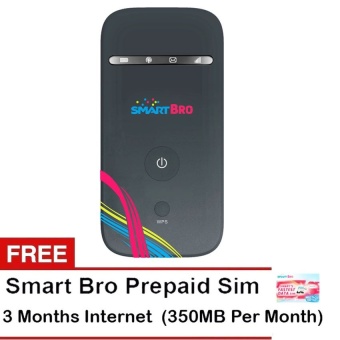
Smart Bro ZTE Pocket Wi-Fi (Black) with Free 3 Months Data Internet

Smart Bro ZTE Pocket Wi-Fi with Free 3 Months Data Internet(Black)   
Let's face it: trips to the coffee shop aren't really for thecoffee at all; they're mainly for the hopes of being lucky with thefree Wi-Fi connection. But more often than not the connection isweak (or non-existent) and you end up failing to finishing yourwork. There are many convenient places that offer free Wi-Fi butnothing beats the comfort of having your own. Right in your pocket.No matter where you are you can experience ultra fast connectionon your smartphones tablets and other WiFi deviceswith SmartBro Pocket WiFi. 
Built for speed the SmartBro Pocket WiFi lets younavigate the online world with ease going at speeds of up to 12Mbps. Whether at home or or on the go staying online has neverbeen this easy. With minimal system requirements your Pocket Wi-Fiis the perfect ravelling companion so you can keep your blog aliveand kicking and constantly update your social media accounts.Access the world wide web anytime anywhere. Check your e-mails connect to Skype and communicate with your clients as easy as1-2-3. 
Making new friends is more fun when you have somethingawesome to share. The Smart Pocket WiFi WirelessBroadband allows you to connect up to 10 gadgets at once soyou can start a little WiFi party that you and your friends willenjoy for hours. 
 
To automatically connect to the Internet:1. Open the Networksharing icon2. Click Smart Bro3. Click Connect4. This window popsup once you've set up your password for your device. Passwordsecurity is recommended to protect your internet connection fromunauthorized users.5. Type the network Security key6. ClickOK 
To manually connect to the Internet:1. Open the browser2.Type the IP address provided on the product manual (ex.192.168.1.1) then press the Enter button3. Type the password(default password: smartbro)4. Click Login5. Select WANConnection6. Select Manual and choose whether to "DisconnectInternet" or "Connect Internet"7. Click Apply to manually apply thechanges 
The Right Accessories for your ComputerIt's time to go aheadand grab the right accessories for your computer. You can choosefrom data cards to external hard drives from foldable laptoptables to mouse and keyboards as well as audio accessories to makeyour user experience better than ever. Whether you're a student orprofessional browse and shop at Lazada's Computer & Laptopssection to save you time and money. 

Now you can get this item with price PHP 1999 of the base price PHP 2000 Here

E5577S-321 Original Unlock 150Mbps Pocket 4G LTE Mobile WiFi RouterSupport FDD 850/800/900/1800/2100/2600MHz - intl

HUAWEI E5577S-321 4G LTE WiFi Router Specification:


u2022WLAN: IEEE 802.11b/g/n
u20224G: LTE FDD 2600/2100/1800/900/800/850 MHz TDD 2600Mhz

u20223G: HSPA+/HSPA/UMTS 2100/1900/900/850Mhz

u20222G: EDGE/GPRS/GSM   850/900/1800/1900Mhz

u2022LTE speed up to 150Mbps

u2022DC-HSPA+  data service of up to 42 Mbps

u2022HSUPA data service of up to 5.76 Mbps

u2022Equalizer and receive diversity
u2022Data and SMS Service

u2022Plug and Play (PnP)

u2022Ethernet port
u2022other feature:Firewall NAT DHCP VPN PIN Management Network select Auto Installation


Design:


Colour Available: Black and White
Dimensions: 9.68cm (Width) x 5.8cm (Dimensions)
Weight: 75 Grams

Just pay PHP 4939 of the market price PHP 4939 Here

Monday, February 26, 2018

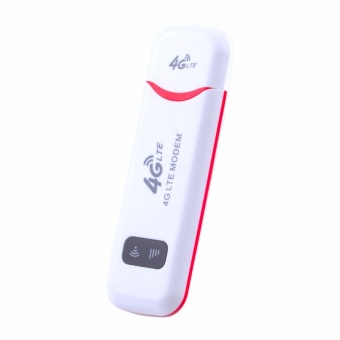
Computers Laptops Mifi Modems 4G Usb Wifi Dongle / 4G Ufi Medom /Lte 150Mbps Wifi Router Hotspot.Support Celcom / Digi / Maxis /Telekom Malaysia / U Mobile - intl

InVaFoCo combines the latest technologieswith our rich hardware expertise to design and make the reliableconsumer electronics and mobile accessories. We focus on betterproducts better price better service and better support. We lovethe InVaFoCo products and you will too.

Specifications: 

  • InVaFoCo 4G USB Wifi Dongle Support Celcom/ Digi/ Maxis/Telekom Malaysia/U Mobile.
  • Support LTE-FDD;B1/B3/B5/B7/B8 HSPA+;2100/900GSM/GPRS/EDGE:850/900/1800/1900MHZ.
  • Built-in LTE-FDD:4G/3G/2G & WIFI antenna 4G UFI Medom/LTE150Mbps WiFi Router Hotspot.
  • Support 8-10 Wi-Fi devices WiFi Standard:802.11b/g/n speedupto 150Mbps.
  • Support Cat4 Download Up to 4G 150Mbps Upload Up to50Mbps.
  • Plug and play high-link(driver free).
  • Support Micro SD memory extension 32GB in max.
  • Support System: Win10/8.1/8/7 Mac OS X 10.4 or later/LINUXat 32/64Bit.

WARM TIPS: 
You need to input the PIN code of SIM card and do the basic setupof 4G Network (APN) in the User Interface when you use the deviceat the first time. 
SIM card not included need to purchase in local only supportmicro SIM card.

Contact: 
InVaFoCo our goal is to provide the best customer support for you.We are always here to help. If any customer meets the problem whenusing our InVaFoCo product Pls freely contact us by mail or phoneon Lazada quickly. 100% sure we will put ourselves in yourshoes to give you the best solution and after-sales service.

Take advantage of special rates at prices PHP 5586 of the store price PHP 16758 Here

Sunday, February 25, 2018

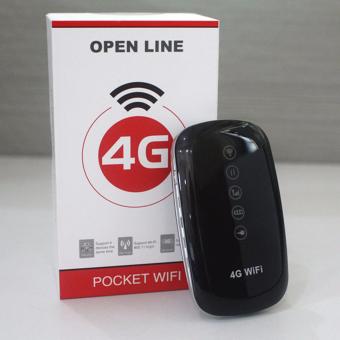
4G Open Line Mobile Hotspot Wifi

  • 4G LCD Mobile Hotspot Wifi Mobile Wireless Pocket WiFi with LCD(Black)
  • 4G Hotspot WiFi Router is one of the most popular HSPA+ 21MbpsWiFi Hotspot mainly for North American market. It's also namedT-mobile 4G WiFi Hotspot. It could let 5 users to share the networkat same time. With ZTE MF62 and ZTE MF60 MiFi Hotspot they are ina group of mobile WiFi Hotspot to support all the 3G UMTS networksall over the world.
  • Create your own personal hotspot on the go with the MF61 4GMobile Hotspotu2014get high-speed Internet on up to five Wi-Fi devices using a single mobile broadband connection.
  • * High-speed Internet for up to 5 Wi-Fi devices (gamingconsoles laptops more)
  • * Compact & light weight for easy portability
  • * 4G-capable for blazing-fast speeds on 4G Network
  • * 3G capable: Browse the Web download content and streammedia faster on 4G network.
  • * Wi-Fi Sharing: Use your device's Web connection to connectlaptops and other Wi-Fi enabled devices to the Internet.
  • * Memory Card Slot (microSD): Add more memory for multimediafiles data and more. Easily take the memory card out of yourdevice to transfer files and data to another device.
  • * Text messaging: The quick quiet way to stay connected.u3000
  • * Windows and Mac capability: Device can work with most laptopcomputers running Windows 7 XP Vista or MAC OS X 10.4 orhigher
     

Now you can get this item with price PHP 1487 of the base price PHP 2599 Here

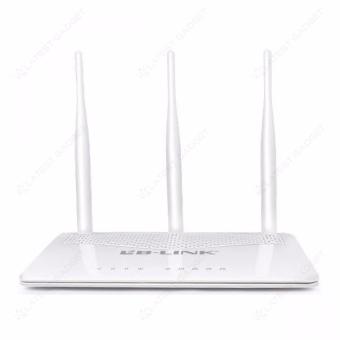
LB-Link BL-WA320RE 300Mbps Wireless N Range Extender (White)

Feature:

    t
  • 300Mbps wireless speed ideal for smooth HD video music streaming and online gamingu00a0
  • t
  • Three MIMO antennas greatly extend your existing wireless coverageu00a0
  • t
  • Wireless speed up to 300Mbps that makes it ideal for bandwidth consuming or interruption sensitive applications like video streaming online gaming and VoIP calls
  • t
  • Support Multiple Operating modes (Access Point Reapeter WDS Bridge)
  • t
  • Easily setup a WPA encrypted secure connection at a push of the WPS button
  • t
  • WPA-PSK/WPA2-PSK encryptions protect your network from security threats

Specifiaction:

    t
  • Brand: LB-LINK
  • t
  • Model: BL-WA320RE
  • t
  • Type: Wireless
  • t
  • Package Dimension: (L x W x H) 34 x 5.5 x 29 cm
  • t
  • Package Weight: 0.597 kg

Just pay PHP 995 of the market price PHP 2000 Here

Friday, February 23, 2018

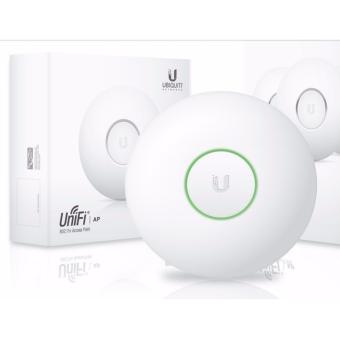
Ubiquiti Unifi UAP 2.4GHz Enterprise WiFi Access Point

Sleek Industrial Design
Featuring a clean industrial design the UniFiu00ae AP can be integrated seamlessly into any wall or ceiling surface (mounting kits included). The LED indicator simplifies deployment and configuration.

Scalability for Thousands
With its software-based capabilities the UniFiu00ae virtual control plane allows for unlimited scalability under one centralized controller.

Rapid Deployment
Plug and Play installation and intuitive management reduce the need for dedicated IT personnel resources.

UniFi Controller
Packed with Features
Use the UniFi Controller to provision thousandsu00a0of UniFi APs map out networks quickly manageu00a0system traffic and provision additional UniFi APs.

Breakthrough RF Map
Use the RF map to monitor and analyzeu00a0radio frequencies for optimal AP placement u00a0configuration and troubleshooting.

Detailed Analytics
Use the configurable reporting and analytics tou00a0manage large user populations and expediteu00a0troubleshooting.

Wireless Uplink
Wireless Uplink functionality enables wirelessu00a0connectivity between APs for extended range. Oneu00a0wired UniFi AP uplink supports up to four wirelessu00a0downlinks on a single operating band allowingu00a0wireless adoption of devices in their default stateu00a0and real-time changes to network topology.

Guest Portal/Hotspot Support
Easy customization and options for Guest Portalsu00a0include authentication Hotspot setup and theu00a0ability to use your own external portal server. Useu00a0UniFiu2019s rate limiting for your Guest Portal/Hotspotu00a0package offerings. Apply different bandwidth ratesu00a0(download/upload) limit total data usage andu00a0limit duration of use.

All UniFi APs include Hotspot functionality:
u2022 Built-in support for billing integration usingu00a0major credit cards.
u2022 Built-in support for voucher-basedu00a0authentication.
u2022 Built-in Hotspot Manager for voucher creation u00a0guest management and payment refund.
u2022 Full customization and branding of Hotspotu00a0portal pages.

Multi-Site Management
A single UniFi Controller running in the cloudu00a0can manage multiple sites: multiple distributedu00a0deployments and multi-tenancy for managedu00a0service providers. Each site is logically separatedu00a0and has its own configuration maps statistics u00a0guest portal and administrator read/write andu00a0read-only accounts.

WLAN Groups
The UniFi Controller can manage flexibleu00a0configurations of large deployments. Create multipleu00a0WLAN groups and assign them to an APu2019s radio.

Zero Handoff Roaming
With Ubiquitiu2019s Zero Handoff Roaming mobileu00a0users can roam anywhere and seamlessly maintainu00a0their connections as they switch to the nearest AP.

Zero Handoff Roaming makes multiple APs appearu00a0as a single AP so it can work with any client andu00a0requires no interaction from the client device.

Specifications (UAP)
UniFi AP
Dimensions 200 x 200 x 36.5 mm (7.87 x 7.87 x 1.44 in)
Weight 290 g (10.23 oz) without Mounting Kits u00a0430 g (15.17 oz) with Mounting Kits
Networking Interface (1) 10/100 Ethernet Port
Buttons Reset
Operating Band 2.4 GHz
Antennas Integrated 3 dBi Omni (Supports 2x2 MIMO with Spatial Diversity)
Wi-Fi Standards 802.11 b/g/n
Power Method Passive Power over Ethernet (12-24V)
Power Supply 24V 0.5A PoE Adapter Included
Maximum Power Consumption 4W
Maximum TX Power 20 dBm
BSSID Up to Four Per Radio
Power Save Supported
Wireless Security WEP WPA-PSK WPA-Enterprise (WPA/WPA2 TKIP/AES)
Certifications CE FCC IC
Mounting Wall/Ceiling (Kits Included)
Operating Temperature -10 to 70u00b0 C (14 to 158u00b0 F)
Operating Humidity 5 - 80% Noncondensing
Advanced Traffic Management
VLAN 802.1Q
Advanced QoS Per-User Rate Limiting
Guest Traffic Isolation Supported
WMM Voice Video Best Effort and Background
Concurrent Clients 100+
Supported Data Rates (Mbps)
Standard Data Rates
802.11n 6.5 Mbps to 300 Mbps (MCS0 - MCS15 HT 20/40)
802.11b 1 2 5.5 11 Mbps
802.11g 6 9 12 18 24 36 48 54 Mbps

Take advantage of special rates at prices PHP 4999 of the store price PHP 6000 Here

Smart Bro ZTE MF65M 4G Pocket WiFi with Free Smart Bro Multi-cutSIM with 3 Months Free Internet (Black)

Let's face it: trips to the coffee shop aren't really for thecoffee at all; they're mainly for the hopes of being lucky with thefree Wi-Fi connection. But more often than not the connection isweak (or non-existent) and you end up failing to finishing yourwork. There are many convenient places that offer free Wi-Fi butnothing beats the comfort of having your own. Right in your pocket.No matter where you are you can experience ultra fast connectionon your smartphones tablets and other WiFi deviceswith SmartBro Pocket WiFi. 

Built for speed the SmartBro Pocket WiFi lets younavigate the online world with ease going at speeds of up to 12Mbps. Whether at home or or on the go staying online has neverbeen this easy. With minimal system requirements your Pocket Wi-Fiis the perfect ravelling companion so you can keep your blog aliveand kicking and constantly update your social media accounts.Access the world wide web anytime anywhere. Check your e-mails connect to Skype and communicate with your clients as easy as1-2-3. 

Making new friends is more fun when you have something awesome toshare. The Smart Pocket WiFi WirelessBroadband allows you to connect up to 10 gadgets at once soyou can start a little WiFi party that you and your friends willenjoy for hours. 


To automatically connect to the Internet:
1. Open the Network sharing icon
2. Click Smart Bro
3. Click Connect
4. This window pops up once you've set up your password for yourdevice. Password security is recommended to protect your internetconnection from unauthorized users.
5. Type the network Security key
6. Click OK 

To manually connect to the Internet:
1. Open the browser
2. Type the IP address provided on the product manual (ex.192.168.1.1) then press the Enter button
3. Type the password (default password: smartbro)
4. Click Login
5. Select WAN Connection
6. Select Manual and choose whether to "Disconnect Internet" or"Connect Internet"
7. Click Apply to manually apply the changes 

The Right Accessories for your Computer
It's time to go ahead and grab the right accessories for yourcomputer. You can choose from data cards to external hard drives from foldable laptop tables to mouse and keyboards as well asaudio accessories to make your user experience better than ever.Whether you're a student or professional browse and shop atLazada's Computer & Laptops section to save you time and money.

Now you can get this item with price PHP 1284 of the base price PHP 2000 Here